
˙

CHOOSE:-> | Main Menu | Backup |Maintenance |Faster Surfing |Tools |Windows Anti-Spyware |Windows Media Player 10 |Free Antivirus Checker

 
bullet There are many ways of tweaking your system, very carefully, that can help to SPEED up your computer experience, and web browsing.

1. Clean Up Your Desktop - Its very handy to have things on your desktop, but try to keep it to things like Internet Explorer, Outlook, etc, or a program you use a lot. Other documents such as photos, mp3'z, and word documents etc, put them in 'My Documents'.

2. Tidy Up 'My Documents' -  It doesn't take long to really get lost in 'My Documents' folder, it's a good practice to create sub folders, very much like 'My Music' 'My Pictures' which are already there, create folders such as My Letters (PRIVATE), My Letters (BUSINESS), 'Family Photos', 'Faxes'. You get the picture.

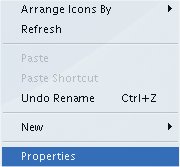
How To Create a Sub Folder: Goto 'My Documents' Right-Click Mouse in a clear place.

This will appear:

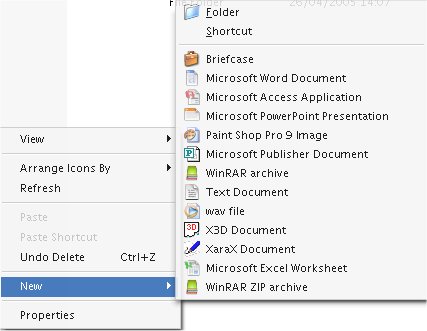
Select NEW

This will appear:

Select  Folder

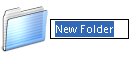
Enter a name for the folder, Press ENTER

.oOo.oOo.oOo.oOo.oOo.oOo.oOo.oOo.oOo.oOo.oOo.oOo.oOo.oOo


See Also:-> | Main Menu | Backup |Maintenance |Faster Surfing |Tools |Windows Anti-Spyware |Windows Media Player 10 |Free Antivirus Checker

See also Software Tools

  If you have any questions about certain aspects of Windows XP you want to ask, email techsupport@dofcom.co.uk - or email SITE UPDATE mailing list : helpcentre@dofcom.co.uk to be informed when new features have been added.


.oOo.oOo.oOo.oOo.oOo.oOo.oOo.oOo.oOo.oOo.oOo.oOo.oOo.oOo
 

Brought you by  Dofcom Media © 2005. An Image Production. All rights reserved. Windows XP™ is copyright of Microsoft™ Corporation